🐬Step-by-Step Guide to Setting Up Multiple Kind Clusters on a Single Host🐬
Guide to Creating Kubernetes Clusters Using Kind and Podman

In this blog post, I explain how to Step-by-Step Guide to Setting Up Multiple Kind Clusters on a Single Host and set up secure communication between pods in different clusters.
Whether you're looking to enhance your Kubernetes knowledge, or simply interested in exploring cross-cluster communication, this guide walks you through:
1️⃣ Setting up Kind clusters using Podman.
2️⃣ Configuring control communication between a pod in the Org cluster and one in the Edge cluster.
3️⃣ Leveraging Podman for a seamless containerized environment.
# Setup the host
kind version: v0.24.0,
kubernetes Version: v1.31.0
Install KIND
To get started, you'll need to install KIND. Here are the steps:
Download the latest KIND release from the official GitHub repository.
Follow the installation instructions for your operating system.
Verify the installation by running
kind --versionin your terminal. You should see the version number displayed.
With KIND installed, you're ready to create your clusters!
[ $(uname -m) = x86_64 ] && curl -Lo ./kind https://kind.sigs.k8s.io/dl/v0.24.0/kind-linux-amd64
chmod +x ./kind
sudo mv ./kind /usr/local/bin/kind
Preload the image
podman pull docker.io/kindest/node:v1.31.0@sha256:53df588e04085fd41ae12de0c3fe4c72f7013bba32a20e7325357a1ac94ba865
# Install the org-control-plane KIND Cluster
export KIND_EXPERIMENTAL_PROVIDER=podman
export ORG_CONTROL_PLANE_K8S=org
clusterName=$ORG_CONTROL_PLANE_K8S
kind delete cluster --name=${clusterName}

apiServerPort=6443
cat << EOF > ${clusterName}-cluster-config.yaml
kind: Cluster
apiVersion: kind.x-k8s.io/v1alpha4
name: ${clusterName}
networking:
 apiServerAddress: "0.0.0.0"
 apiServerPort: $apiServerPort
nodes:
- role: control-plane
EOF

kind create cluster --config ${clusterName}-cluster-config.yaml --kubeconfig ./kubeconfig
cat kubeconfig | sed "s|https://:${apiServerPort}|https://0.0.0.0:${apiServerPort}|g"  > ./config
kind get kubeconfig --name=${clusterName} | sed "s|https://:${apiServerPort}|https://${clusterName}-control-plane:6443|g"  > ${clusterName}-config
# Set Up the EDGE k8s Clusters
clusterName=edge-1 #Change me
kind delete cluster --name=${clusterName}
apiServerPort=6444 # change me
cat << EOF > ${clusterName}-cluster-config.yaml
kind: Cluster
apiVersion: kind.x-k8s.io/v1alpha4
name: ${clusterName}
networking:
 apiServerAddress: "0.0.0.0"
 apiServerPort: $apiServerPort
nodes:
- role: control-plane
EOF

kind create cluster --config ${clusterName}-cluster-config.yaml --kubeconfig ./kubeconfig
cat kubeconfig | sed "s|https://:${apiServerPort}|https://0.0.0.0:${apiServerPort}|g"  > ./config
kind get kubeconfig --name=${clusterName} | sed "s|https://:${apiServerPort}|https://${clusterName}-control-plane:6443|g"  > ${clusterName}-config
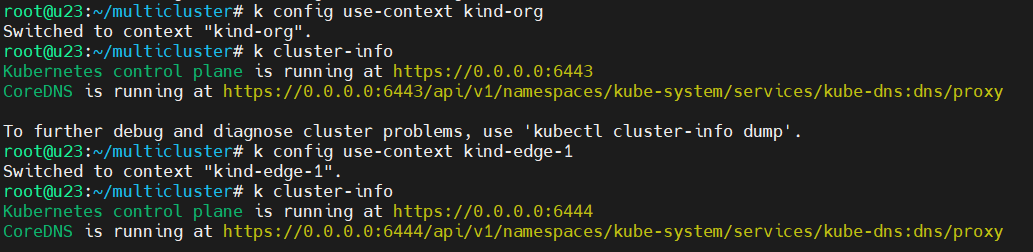

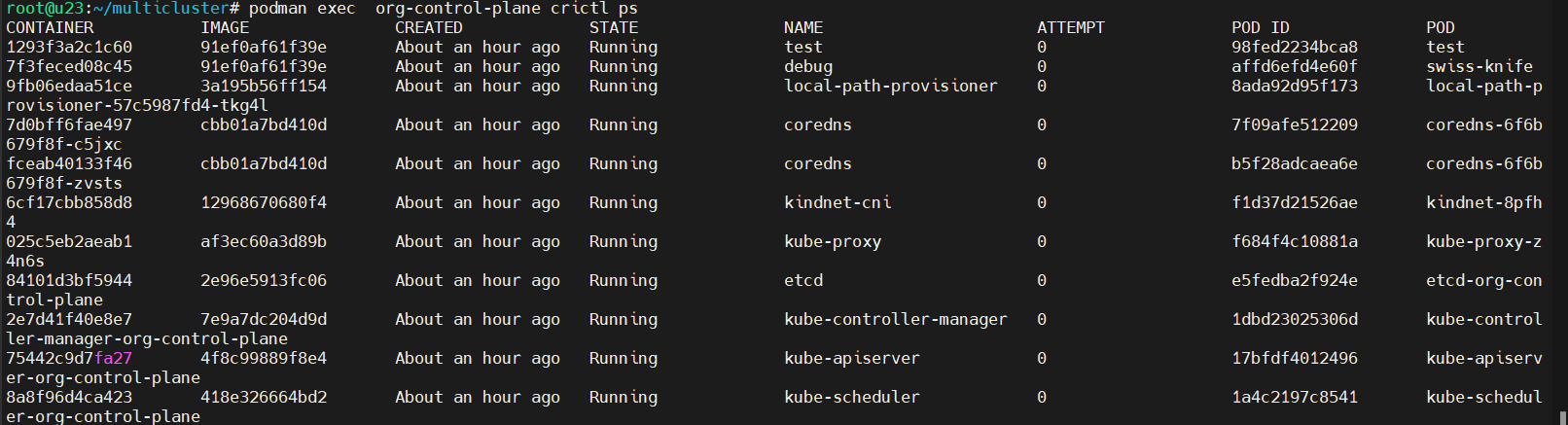
# Showtime! Let’s connect to the edge cluster from a pod in the org cluster.
kubectl config use-context kind-$ORG_CONTROL_PLANE_K8S
kubectl run test --image=docker.io/alpine -- sleep infinte
clusterName=edge-1
kubectl  cp ${clusterName}-config test:/config
kubectl exec -it test sh
apk add curl
curl -O https://s3.us-west-2.amazonaws.com/amazon-eks/1.28.3/2023-11-14/bin/linux/amd64/kubectl
chmod +x ./kubectl
mv kubectl /usr/local/bin
kubectl cluster-info --kubeconfig=config

If you're into cloud-native architectures and curious about how to implement multi-cluster strategies for scalability and security, this one's for you! 🔐🔗
Check it out and feel free to drop your thoughts or questions in the comments! 💬👇
#Kubernetes #Podman #CloudNative #DevOps #ClusterCommunication #EdgeComputing #CloudSecurity

